Skip to content

Docs CSC now features an automatic Finnish translation. Click here for more information.

Warning!

Puhti and Mahti will be decommissioned after Roihu becomes available. Users should clean up unnecessary files and move any required data by the end of August 2026. See the Roihu data preparation instructions for details.

Puhti scratch is very full: keep only active data there and move or delete everything else. No new Puhti scratch quota will be granted.

Table of contents of user guide

Log into SD Desktop

Prerequisites

Step by step

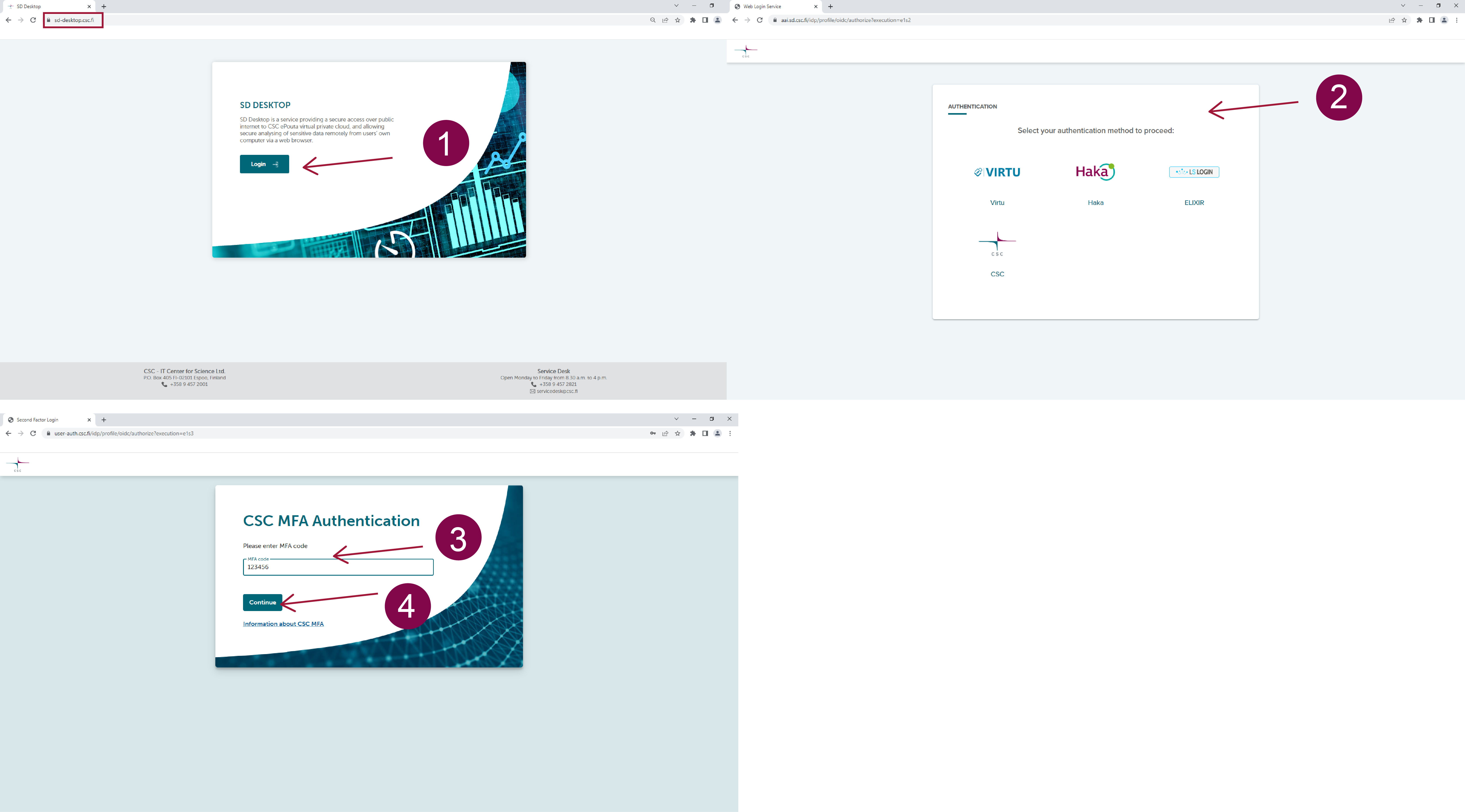
  1. Go to login page: https://sd-desktop.csc.fi.
  2. Log in with MyCSC-credentials or Haka. Enter your username and password.
  3. You need to verify your identity with a second verification step (i.e. Multi-factor Authentication, MFA). Enter the verification code provided via your MFA mobile application (e.g. Google Authenticator)
  4. Press Continue.

Authentication