LoadBalancer service type
Unlike routes, the LoadBalancer service type makes it possible to expose services to the internet without being limited to HTTP/HTTPS protocols. This feature allows you to expose services to receive external inbound traffic on a dedicated public IP address, ensuring that external users or services can interact with your applications. To enable and use LoadBalancer services within your Rahti project, you must submit a request to the Service Desk. The request must include the following details:
-
Project Name: Provide the exact name of the Rahti project for which you want to enable LoadBalancer services.
-
CSC Project Number: The
csc_projectnumber that is used for the Rahti project. -
Use Case: Clearly describe the use case, including:
- The type of services you plan to expose (e.g. web applications, APIs).
- Any specific requirements or considerations, for example how many IP addresses you need.
When your request is approved by the admins, you will receive the public IP address that can be used to access your services, and you can then proceed with the creation of the LoadBalancer service. Alternatively, you can use the following command to check the IP addresses that are assigned to your project. The information is visible under the annotations.ip_pairs field.
apiVersion: metallb.io/v1beta1
kind: IPAddressPool
metadata:
  annotations:
    ip_pairs: |
      192.168.191.X - 86.50.228.M
      192.168.192.Y - 195.148.30.N
  creationTimestamp: "XXXX-XX-XXTXX:XX:XXZ"
  generation: 1
  name: <project_name>
  namespace: metallb-system
  resourceVersion: "XXXXXX"
  uid: XXXXXXX
spec:
  addresses:
  - 192.168.191.X/32
  - 192.168.192.Y/32
  autoAssign: true
  avoidBuggyIPs: false
  serviceAllocation:
    namespaces:
    - <project_name>
    priority: 1
For example, the following Service definition exposes a MySQL service on the assigned public IP at port 33306:
kind: Service
apiVersion: v1
metadata:
  name: mysqllb
  namespace: my-namespace
spec:
  ports:
    - protocol: TCP
      port: 33306
      targetPort: 3306
  allocateLoadBalancerNodePorts: false
  type: LoadBalancer
  selector:
    app: mysql
You can find a detailed explanation of the Service object on the Kubernetes and OKD concepts page.
Ensure that the service type is set to LoadBalancer, and that the allocateLoadBalancerNodePorts field is set to false (the default is true) because NodePorts are not enabled in Rahti. If this field is not set correctly, the allocated node port will be unusable, and Service creation may fail if the entire default node port range is already allocated.
Additionally, the port field in the Service definition (e.g. 33306 in the previous example) must be within the range of 30000-35000.
How to retrieve the selector
The selector field of the Service must match the labels of the Pods that you want to expose. When you copy a label, make sure to follow the yaml syntax and change = to :.
Using the CLI
On your CLI, run oc describe pod <pod-name> -n <namespace>. The output includes a section labeled Labels. Copy any of the labels and paste it into the yaml file under selector. For example, using the first label of the output below, the selector becomes app: mysql:
Name:           mysql-pod
Namespace:      my-namespace
Priority:       0
Node:           worker-node-1/10.0.0.1
Start Time:     Mon, 23 Oct 2024 10:00:00 +0000
Labels:         app=mysql
                environment=production
                app.kubernetes.io/name=mysql
(...)
Using the web interface
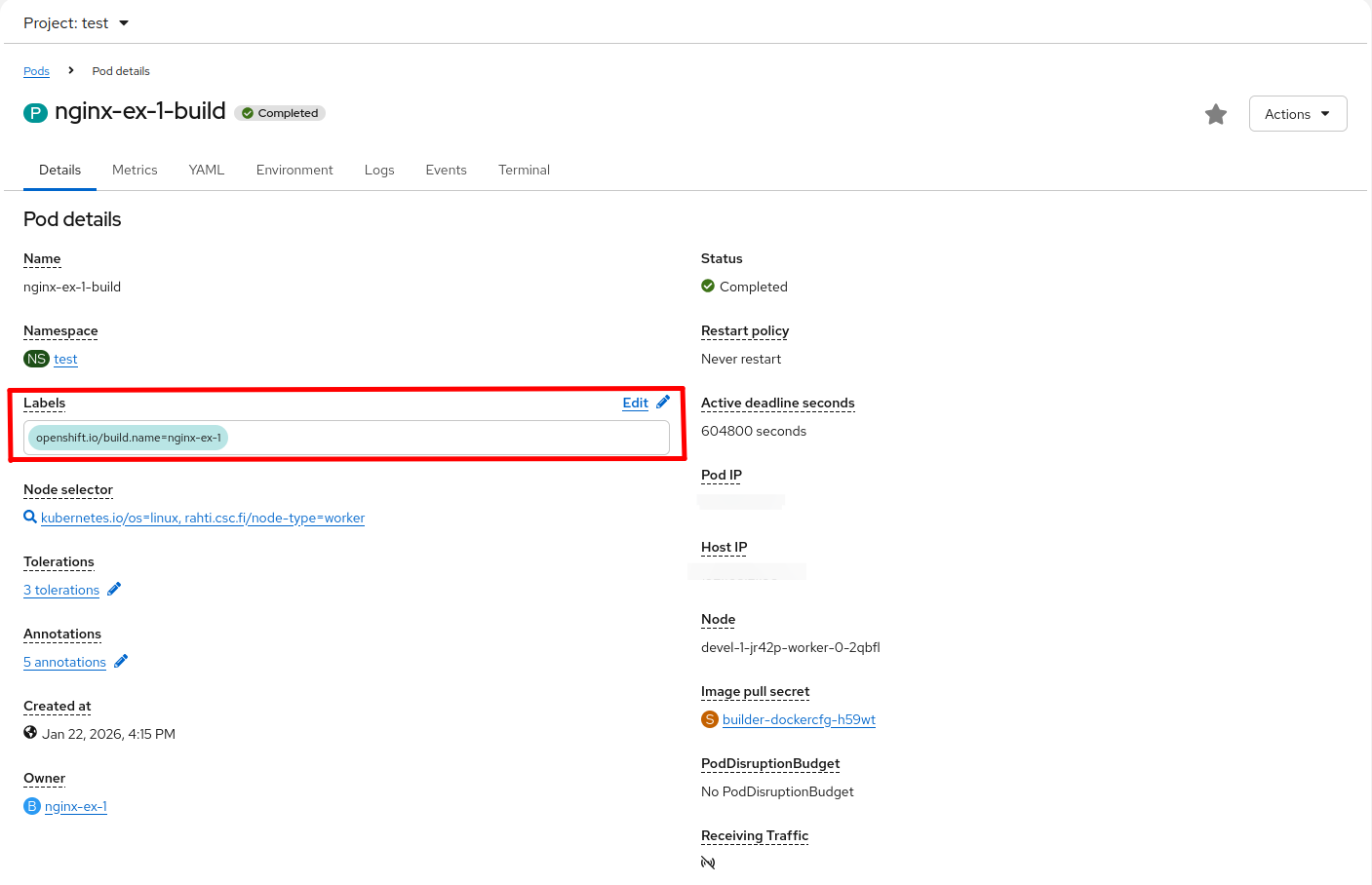
In the web interface, under Workloads, click Pods and then choose the Pod you want. You can see all the labels under Labels. Copy any of the labels and paste it into the yaml file under selector.
How to make sure your Service is pointing to the right Pod
Using the CLI
On your CLI, run oc get endpoints <service-name> -n <namespace>. You should see the name of the Service and the IP addresses and ports of the Pods that are currently targeted by the Service. For example:
Using the web interface
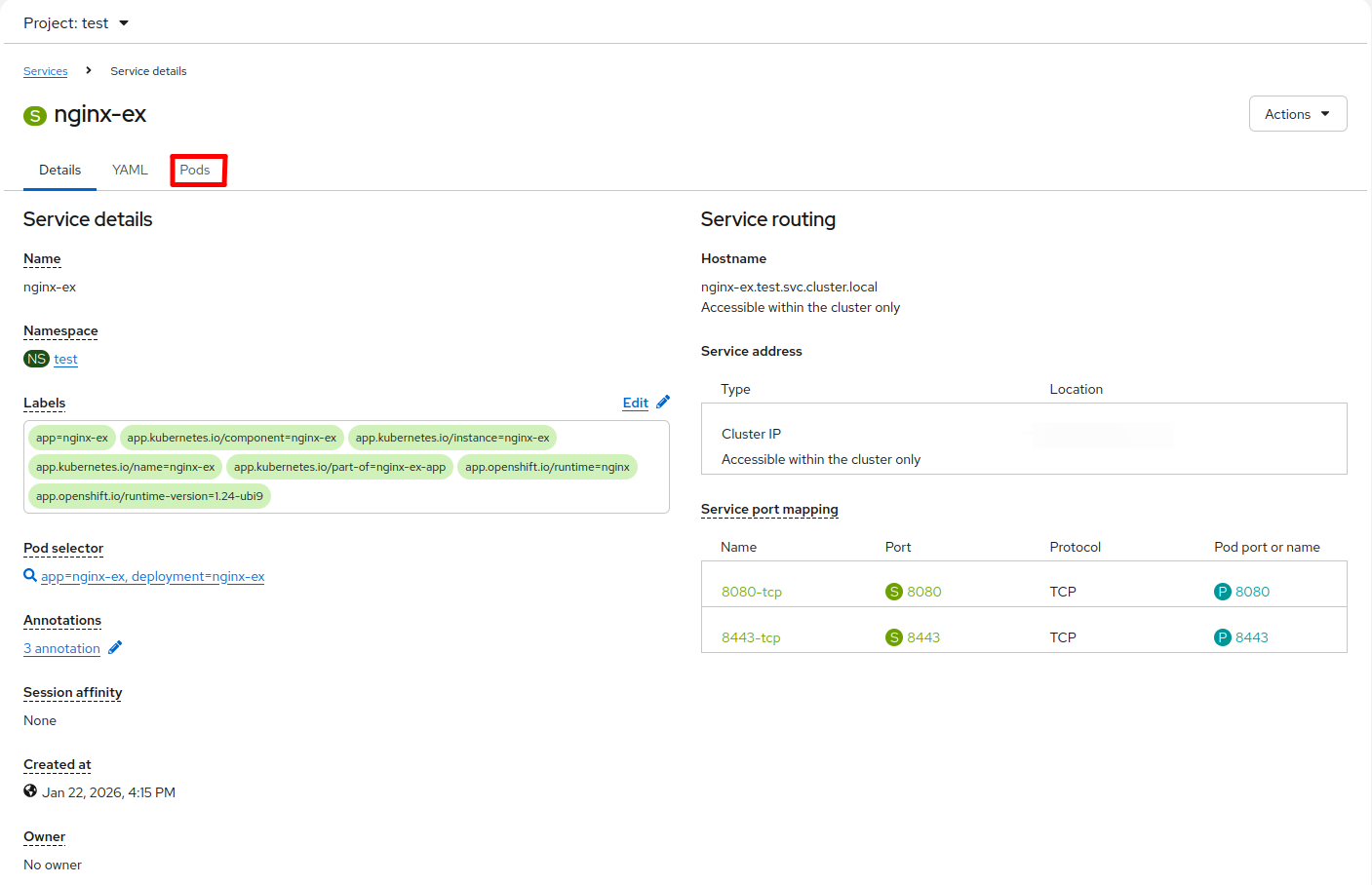
In the web interface, under Networking, click Services and choose the LoadBalancer service you just created. Under the Pods tab you should see the targeted Pod.
Share the same LoadBalancer IP among Services
It is also possible to expose multiple LoadBalancer services on the same public IP but on different ports. You can enable IP sharing by adding the metallb.universe.tf/allow-shared-ip annotation to the Services. The value of the annotation is a label of your choice, and the Services annotated with the same label share the same IP. Here is an example configuration of two Services that share the same IP address:
kind: Service
apiVersion: v1
metadata:
  name: mysqllb
  namespace: my-namespace
  annotations:
     metallb.universe.tf/allow-shared-ip: "label-to-share-1.2.3.4"
spec:
  ports:
    - protocol: TCP
      port: 33306
      targetPort: 3306
  allocateLoadBalancerNodePorts: false
  type: LoadBalancer
  selector:
    app: mysql
kind: Service
apiVersion: v1
metadata:
  name: httplb
  namespace: my-namespace
  annotations:
     metallb.universe.tf/allow-shared-ip: "label-to-share-1.2.3.4"
spec:
  ports:
    - protocol: TCP
      port: 30080
      targetPort: 80
  allocateLoadBalancerNodePorts: false
  type: LoadBalancer
  selector:
    app: httpd
Add firewall IP blocking to a LoadBalancer Service using NetworkPolicy
It is possible to add firewall IP blocking to a LoadBalancer Service. This allows you to configure an allowlist of specific IP addresses (for example, 188.184.77.250) and/or IP ranges (for example, 188.184.0.0/16). Only traffic from these permitted addresses will be able to access the Service.
Tip
IP firewalling alone is not sufficient to secure an application running behind a LoadBalancer Service. Always follow security best practices and use IP filtering as part of a layered security approach. Combine it with secure communication protocols such as TLS and strong authentication mechanisms, including safe password practices, to properly protect your applications.
The procedure to achieve this is the following:
-
Activate the
Localexternal traffic policy in the Service. To do so, addexternalTrafficPolicy: Localunderspec, like this:kind: Service apiVersion: v1 metadata: name: mysqllb spec: ports: - protocol: TCP port: 33306 targetPort: 3306 name: http allocateLoadBalancerNodePorts: false externalTrafficPolicy: Local # This is the line to add type: LoadBalancer selector: app: mysqlLocal traffic policy limitations
Rahti uses
L2Advertisementmode in MetalLB. For more information, please refer to Layer 2.Also note that, when
externalTrafficPolicyis set toLocal, only one Service can be exposed using the external IP, i.e. the load balancer IP cannot be shared among multiple Services.For more information, refer to the official article: Understanding Openshift/OKD
externalTrafficPolicy: localand Source IP Preservation. -
Add a
NetworkPolicyto open access to selected IPs:apiVersion: networking.k8s.io/v1 kind: NetworkPolicy metadata: name: firewall spec: ingress: - from: - ipBlock: cidr: 188.184.0.0/16 - ipBlock: cidr: 137.138.6.31/32 - from: - namespaceSelector: matchLabels: policy-group.network.openshift.io/ingress: "" podSelector: matchLabels: app: mysql policyTypes: - IngressThe above example of
NetworkPolicyallows ingress traffic from the CIDR188.184.0.0/16, which translates to the range [188.184.0.0-188.184.255.255], and from the single IP137.138.6.31. The destination of the traffic is limited by thematchLabelssection. The label must be the same as the one used in theLoadBalancerService. -
When using
externalTrafficPolicy: Localin your Service, your Pods need to be hosted on nodes that can forward traffic directly to them, i.e. locally. To achieve this, you need to add the node selectorrahti.csc.fi/local-load-balancer: ''to your Pods (or Deployment, or StatefulSet if applicable):
Differences between a Route and a LoadBalancer Service during deployment rollouts
In Rahti, traffic is managed differently by Routes and LoadBalancer services during deployment rollouts.
Routes, which are managed by the integrated HAProxy load balancer in OKD, are designed to quickly adjust and direct traffic as soon as a new Pod starts, and to simultaneously cease routing to the old or terminating Pods, ensuring rapid response to changes and minimizing service disruption.
In contrast, LoadBalancer services distribute traffic not only to new Pods but also continue to send requests to old or terminating Pods. This behavior occurs because these services rely on periodic updates from EndpointSlices, which can delay the exclusion of terminating Pods from traffic distribution. This difference in handling traffic can be useful to understand, as it affects how deployment strategies should be handled for application updates.
For more information, refer to the OKD documentation regarding route based deployment strategies. To avoid disruptions when using external load balancer services, you can adopt the principle of a blue-green deployment.