Create a fixed IP for a VM
Introduction
It is a simple process to know/fix the IP address of the VM before launching it. Also, IP can be reserved if you want to re-launch a VM.
Fix IP address before launching a VM
Follow the procedure:
-
In menu of your project, go to Networks and Click on the
project_XXXXXXX-networklink, where XXXXXXX is your project number.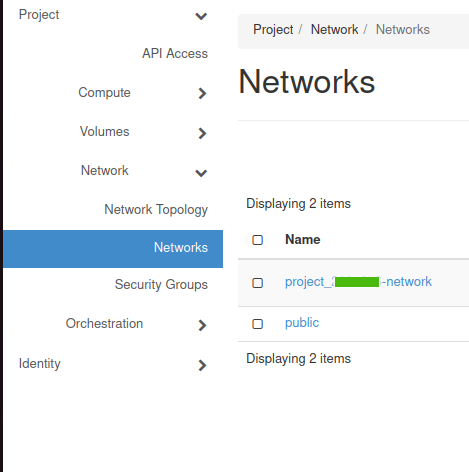
-
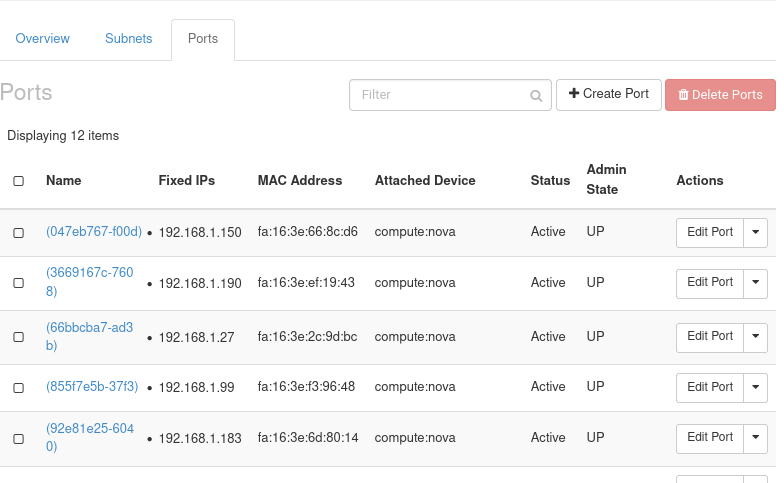
Go to Ports tab and click on Create Port in right-top corner.
-
A dialog box like this one should appear:
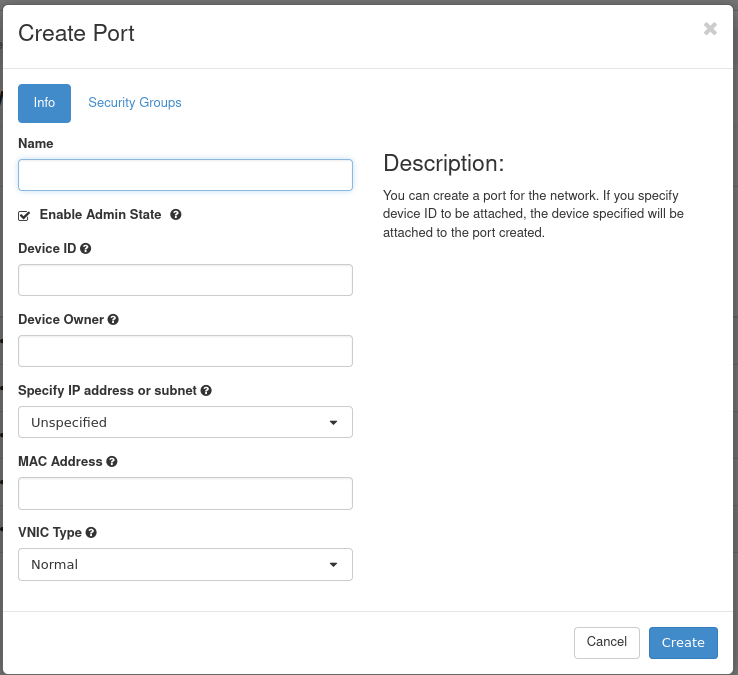
- A Name, any descriptive name is fine
- In Specify IP address or subnet, select Fixed IP address or subnet.
- A new new field called Fixed IP Address will appear, enter there the IP address.
- And finally click Create.
-
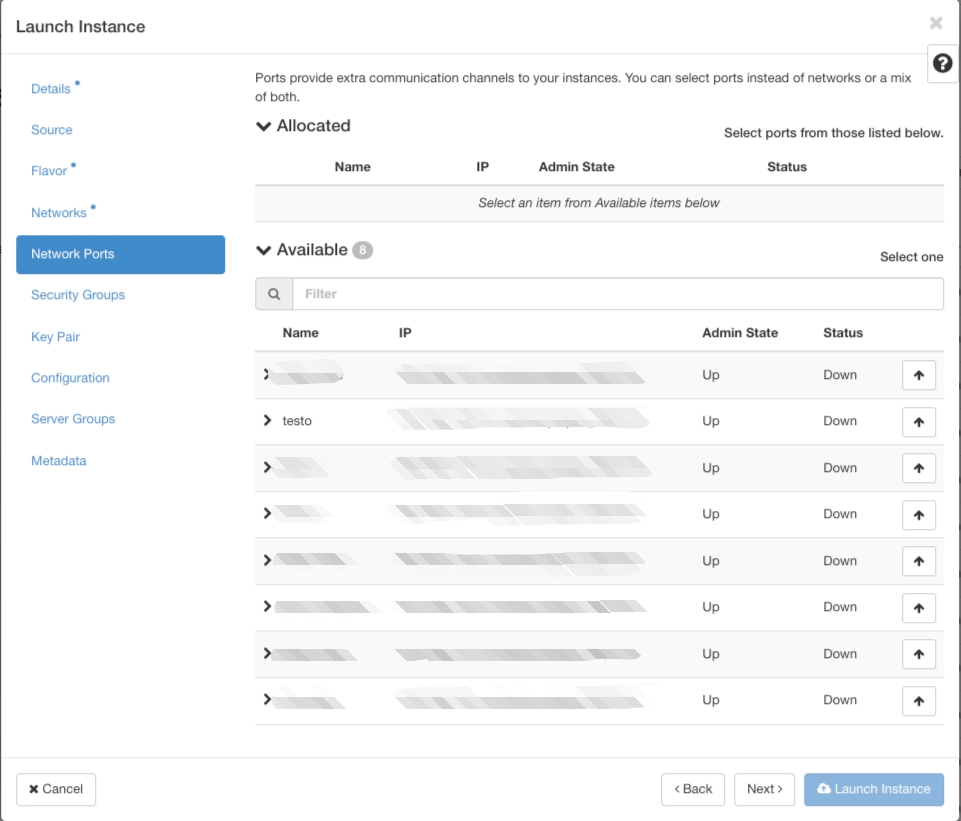
Now, while launching an instance, got to Network Ports and use this port.
Reserve IP to re-launch a VM
The procedure is almost the same with only few additional steps:
-
Write down the IP and the list of security groups of the current VM.
-
Shutdown the VM.
-
Take a snapshot.
-
Click on Ports in network of your project.
-
Delete the port corresponding to the IP of your current VM, if present. We need to delete the port because it is auto generated and cannot be re-assigned to any other VM than to the one that is currently assigned. The delete button is under Actions.
-
Now, create a port as mentioned above (on Fix IP address before launching a VM).