Basic level
This is a simple tutorial to show how to deploy a web server using the Rahti web interface as the same as the one using the CLI that you can find here
Static web server
How to set up a static web server in Rahti.
-
Create a project. Instructions
-
In the Openshift web console, in left hand side menu, click on
Software CatalogunderEcosystemdropdown list.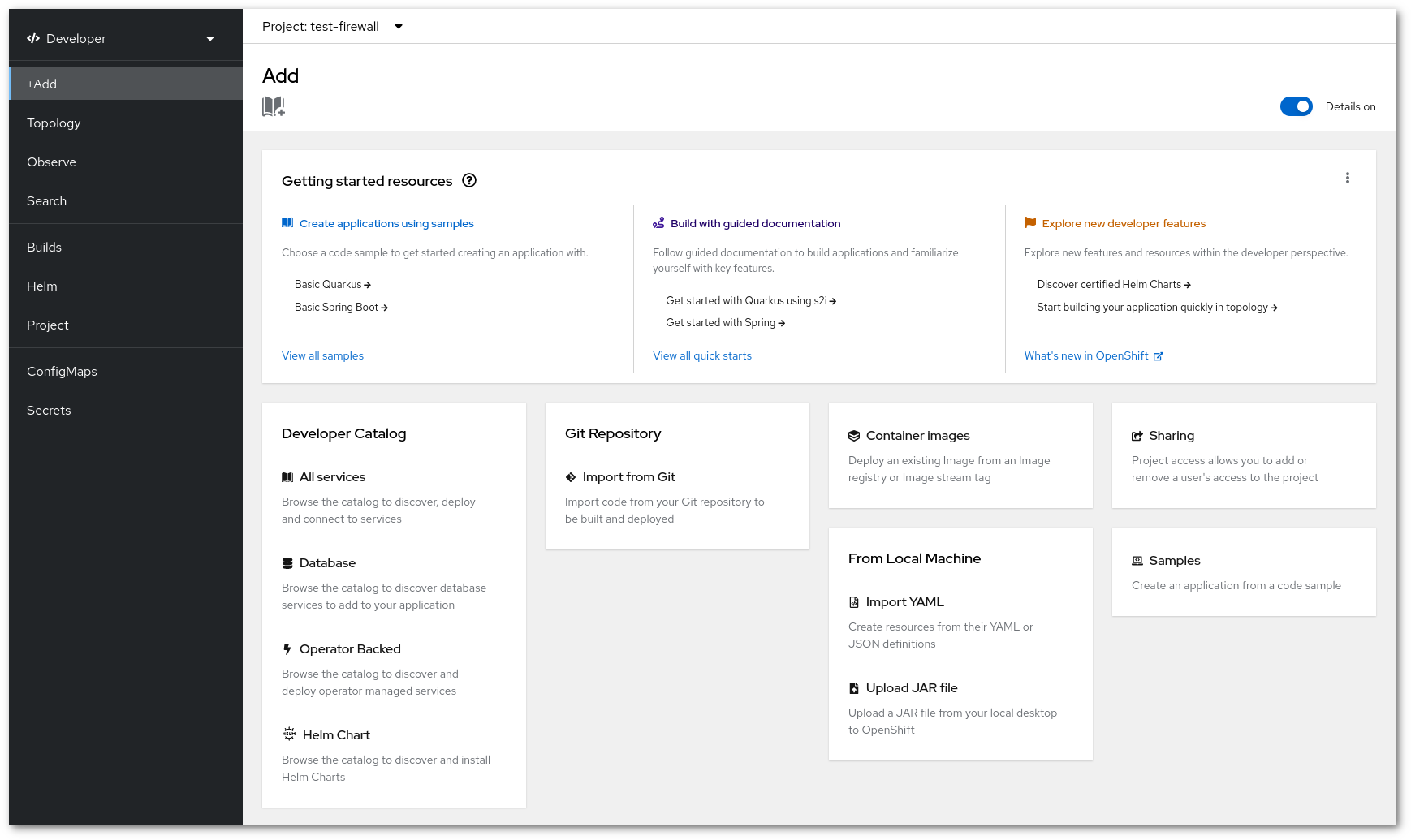
-
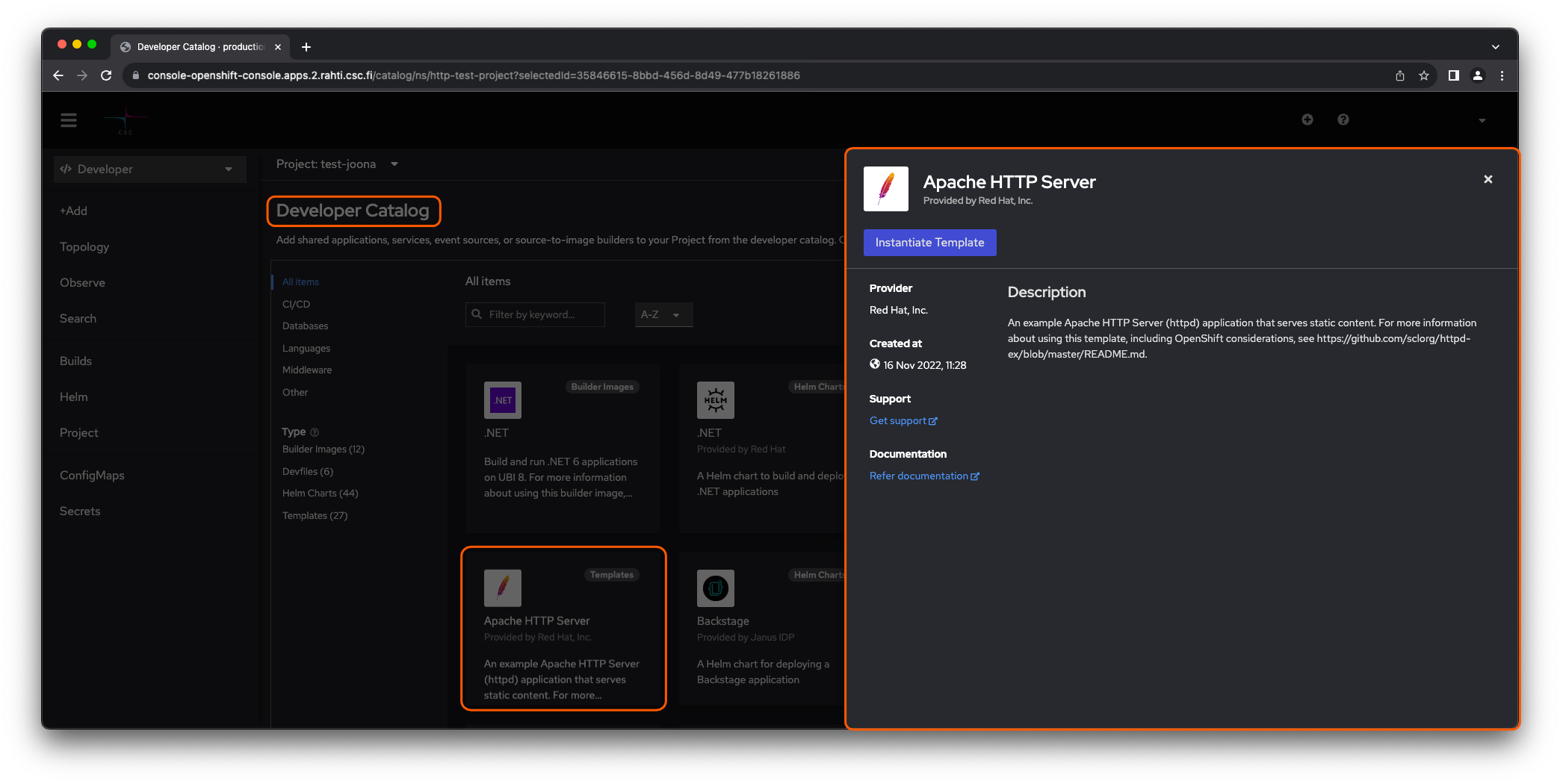
To create an application, search and click Apache HTTP Server, since templates are deprecated now, please use builder image only. Now, click on create on the pop-up window on the right.
-
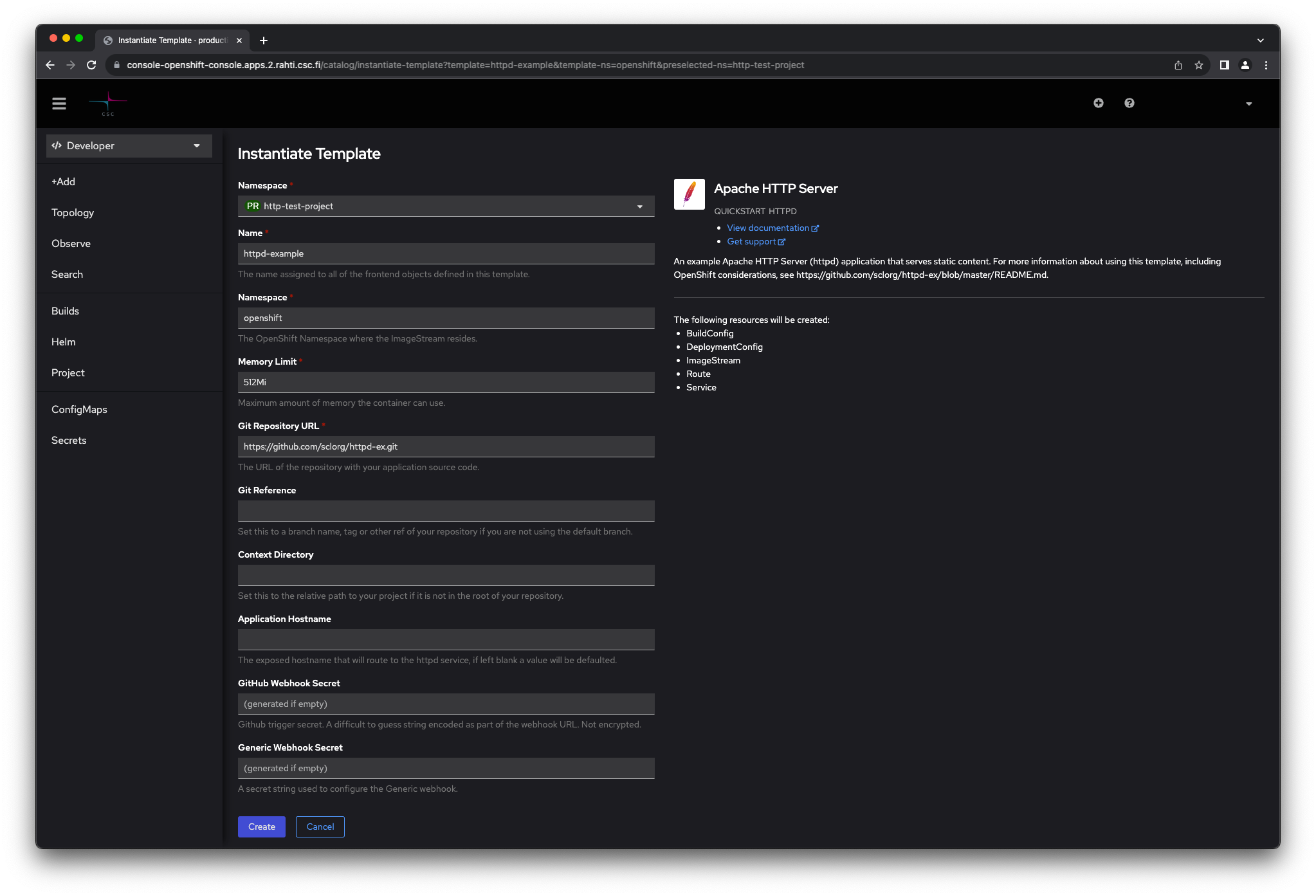
Type in the source Git repository containing the content to be served. You can also try sample by clicking on Try sample . Now, Click Create . The application will be created in the project namespace you provided.
-
Click on Topology under
Workloadsin the navigation panel to Navigate to the newly created project and Click name of the project from project list . Select Details on the pop-up window on the right. Now, the OpenShift dashboard should display information about the application.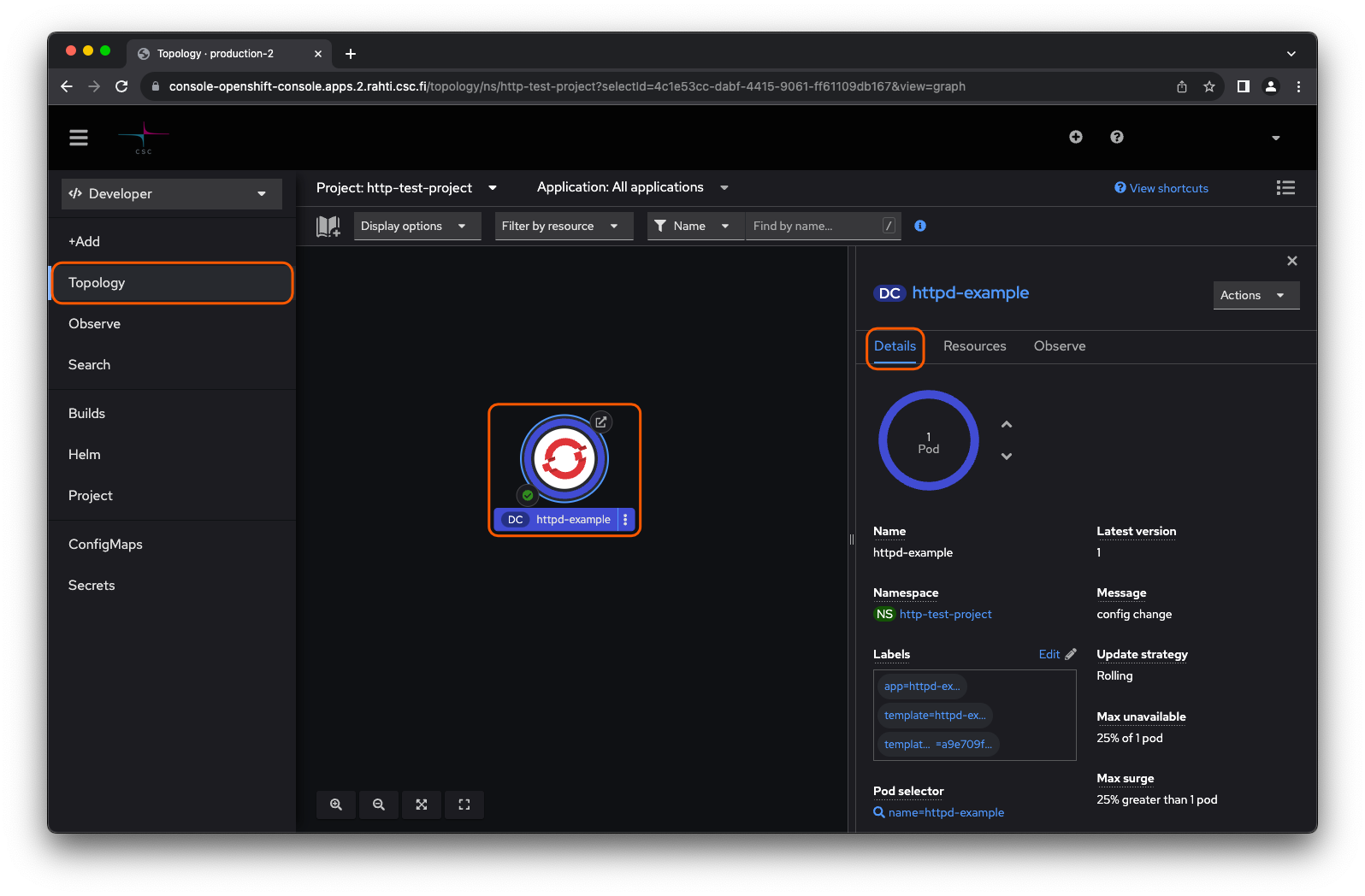
This application is available at Resources on the pop-up window on the right under the last field Routes .
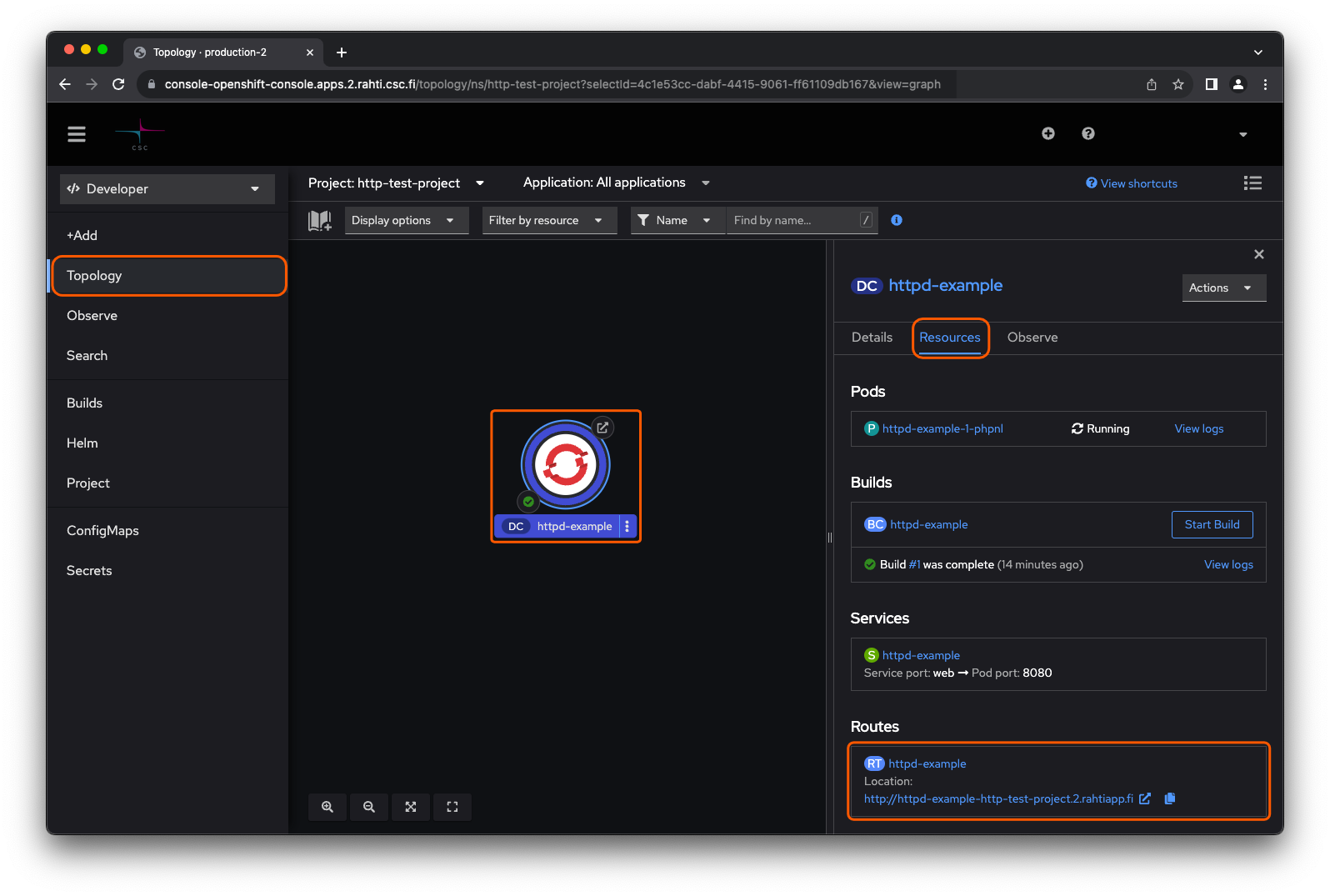
If the link did not work, make sure that the browser did not change the address to use https instead of intended http.
OpenShift processed a template that provisioned various objects, such as Pods, Services, Routes, Deployment, and Builds into the container cloud, and as a result, a web server emerged.
For deeper insight in to the created objects, please see:
- Core objects for introduction to the fundamental objects on which OpenShift/Kubernetes applications are built upon.
- Kubernetes and OpenShift Concepts for how managing applications in OpenShift/Kubernetes is further streamlined using higher abstraction level objects.