How to make a bucket public?
By default Allas buckets are only accessible using authentication (See Accessing Allas ), but it is possible to make a bucket public. Making a bucket public means that every file and directory on the bucket will be accessible without any kind of authentication from anywhere on the internet using the HTTPS protocol.
Public access
Anyone with the URL can access all objects in a public bucket. Do not store sensitive or personal data in public buckets.
To do this, you have two options:
Allas Web Interface
Go to Allas web interface and:
- On the main dashboard you can see the
Public Accesscolumn. - Click the checkbox to make the bucket public.
- Press on the link. This will open a new tab with the public URL.
- Append the file name to the url to see it publicly.
- Uncheck to make the bucket private.
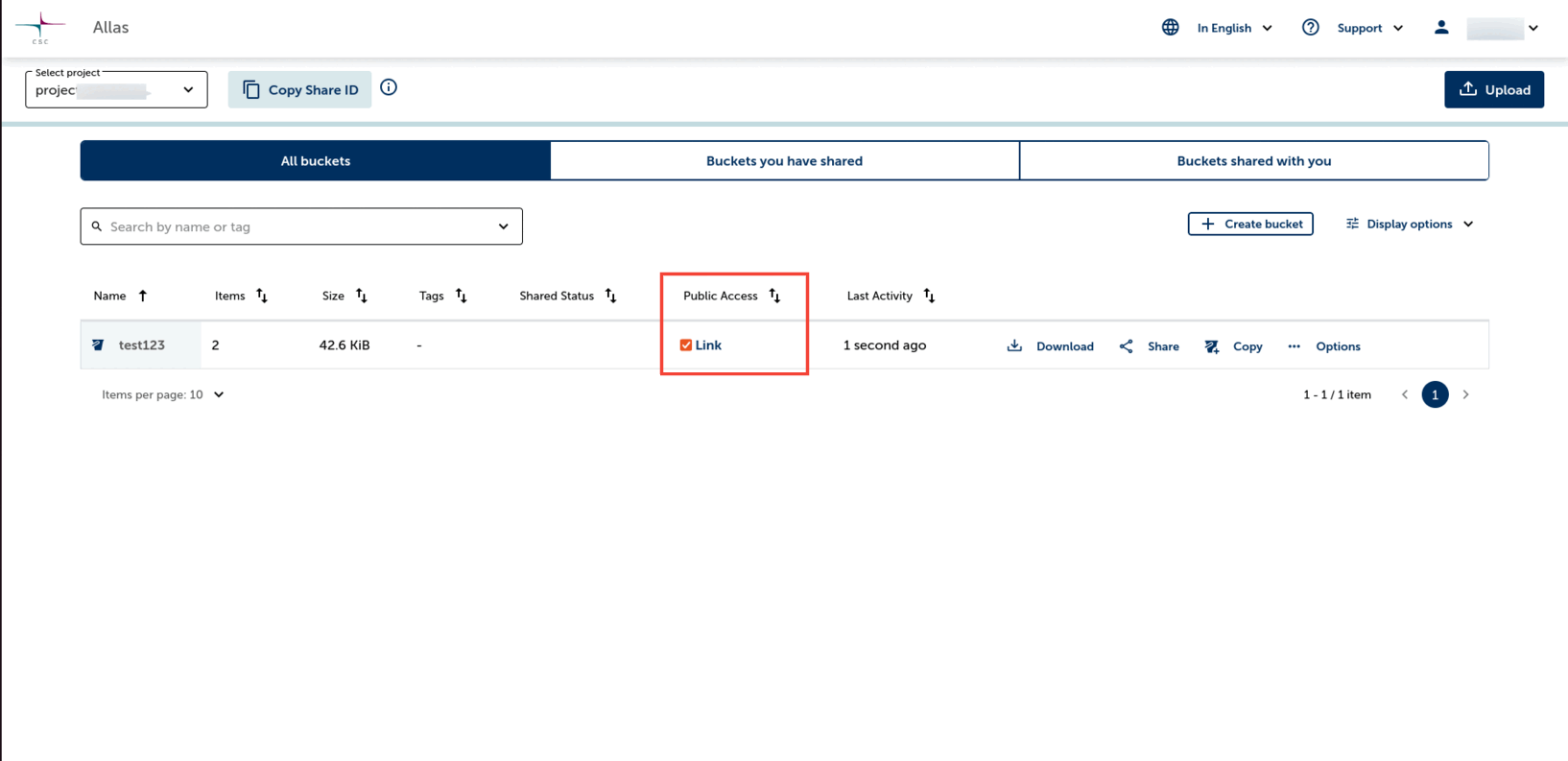
Making a bucket public
Pouta Web Interface
Go to Pouta's web interface and:
- Navigate to Object Store > Containers. This will open the "Containers" page with a list of every bucket on the selected CSC Project.
-
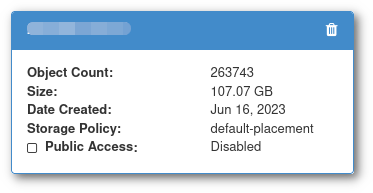
Click on the bucket name, the bucket information will appear:
-
Click in the checkbox near "Public Access".
-
Check if there is a "segments" bucket, if so the name will be the same as the "main" bucket but with a
_segmentssuffix, for example: -
If the name is
musel-photos, the segments bucket will bemusel-photos_segments -
If there is a "segments" bucket, click also in the "Public Access" checkbox.
Now the bucket is public and its contents will be available throw the URL: https://$BUCKETNAME.a3s.fi/. Where $BUCKETNAME is the name of the bucket (so the bucket named musel-photos will be available in https://musel-photos.a3s.fi/).