Skip to content

Docs CSC now features an automatic Finnish translation. Click here for more information.

Warning!

Puhti and Mahti are being decommissioned in stages, and their storage areas will become fully unavailable from 15 October 2026. Clean up unnecessary files and move any data you need to keep by 31 August 2026. See the Roihu data migration guide for instructions on transferring your data to Roihu.

Puhti scratch is very full: keep only active data there and move or delete everything else. No new Puhti scratch quota will be granted.

How to open a terminal to a Pod?

In order to open a terminal to a Running Pod there are two options:

Using the web interface

  1. Log into Rahti's web interface and navigate to Project > Pods. (Or Workloads > Pods in Administrator view)

  2. Click on any of the Pod names whose status is Running.

  3. Click on the Terminal tab to reveal the terminal.
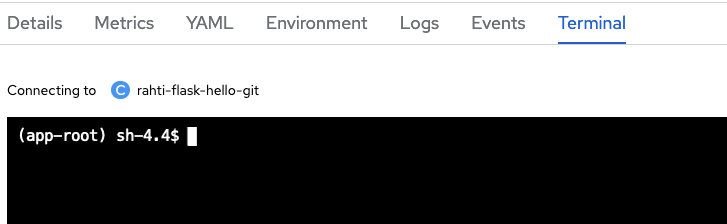
Terminal Pod

Terminal

If you cannot see the commands in the Terminal, please expand it by clicking "Expand" on the top right. You can collapse and the commands will still be displayed

Using the command line with oc

  1. First, get the name of the Pod you want to open an interactive terminal session to:

    $ oc get pods
    NAME                READY     STATUS      RESTARTS   AGE
    django-ex-1-build   0/1       Completed   0          2h
    django-ex-1-svwg2   1/1       Running     0          2h
    django-ex-1-rtbak   1/1       Running     0          2h
    
  2. We see that a terminal to either django-ex-1-svwg2 or django-ex-1-rtbak can be opened.

    oc rsh pod/django-ex-1-rtbak